Color Crash Unblocked — Play Free Online
More Racing games





Color Crash unblocked: play Color Crash online free right here in your browser — no download, no sign-up, works on a school Chromebook.
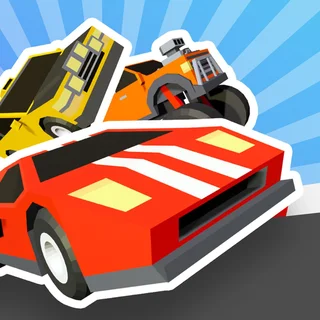
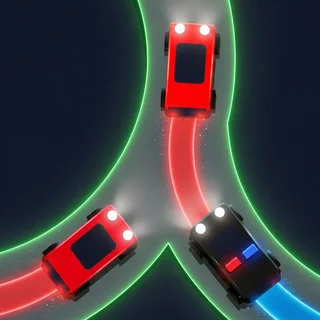
Color Crash is a fast-paced arcade driving game that blends high-speed navigation with rapid color recognition. Behind the wheel, your vehicle accelerates along a vibrant track lined with divided arches and obstacles. The core challenge is simple yet demanding: you must only pass through gates and barriers that match your car's current exterior color. Colliding with any mismatched section results in an immediate crash, bringing your run to a sudden halt.
For players visiting Eggy Car, Color Crash offers a thrilling change of pace from traditional momentum-based hill climbs. Instead of carefully balancing fragile cargo over steep slopes, this game focuses on split-second lane switches, visual awareness, and keeping your composure as the speed steadily rises.
How to play
Steering requires minimal input but sharp execution. Use the left and right Arrow keys or the A and D keys to shift between lanes. Press the Up Arrow or W key to accelerate, and ease off or tap the Down Arrow or S key to regulate your speed before tight sequences. The track layout continuously branches and presents divided gates with contrasting colors. Spot the matching path early and maneuver smoothly into position before crossing the threshold.
As you progress deeper into a run, the course introduces color-shifting portals. Passing beneath these markers instantly transforms your vehicle's paint job to a different shade. You must instantly recalibrate your focus and identify the new matching color among the oncoming gates without losing your steering line.
Tips for high scores
- Look ahead down the track: Never fixate on the gate immediately in front of your bumper. Scanning several barriers ahead gives you ample time to plan lane changes before high velocity makes sharp turns difficult.
- Ease off the gas before tight splits: While full acceleration helps build distance quickly, briefly releasing the throttle before tricky obstacle sections gives you better control over your steering arc.
- Anticipate color shifts: Keep an eye out for glowing transition gates. Preparing for an immediate color switch helps you avoid instinctively aiming for your previous color.
Similar games on Eggy Car
If you enjoy testing your steering precision under pressure, check out Drive Mad for technical obstacle tracks that reward throttle discipline, or try Crazy Road Trip for unpredictable high-speed action. If you prefer physics-focused terrain navigation with plenty of bumps and climbs, Hill Climb Racing Lite and Noob Drive deliver classic hill-driving mechanics with their own distinct vehicle styles.
Questions about Color Crash
Is Color Crash unblocked at school?
Color Crash runs in an ordinary browser tab from eggycar.fyi, with nothing to download or install, so it plays on most school Chromebooks and work computers. If a network filter blocks the site, only that network's administrator can change it.
What is the main objective in Color Crash?
Your goal is to steer your vehicle through colored gates that match your car's current color while avoiding mismatched barriers to keep your run going as long as possible.
What controls do you use to steer in Color Crash?
Use the Arrow keys or the A and D keys to steer between lanes, and use the Up Arrow or W key to accelerate down the track.
Can you play Color Crash on mobile devices?
Yes, Color Crash runs directly inside any modern mobile or desktop web browser with on-screen touch controls supported on phones and tablets.
Why does my car change color during a run?
Passing through special transition checkpoints changes your car to a new color, requiring you to quickly adjust your focus to target the new matching gates ahead.